Workflow Builder vs n8n: When to Choose an Embeddable SDK Over an Automation Platform


When evaluating workflow solutions, n8n often appears as an obvious choice. It's open-source, feature-rich, and widely adopted. But teams building custom workflow editors for their own products quickly discover a fundamental mismatch.
n8n is an automation platform. Workflow Builder is an embeddable SDK.
The difference matters, especially when your product needs a branded workflow editor, custom node types, or one-time pricing instead of recurring platform fees.
Here's what we've learned from teams who evaluated both.
Workflow Builder vs n8n: the core difference
n8n is a full-stack automation platform. It includes 500+ pre-built integrations, a server-side execution engine, credential management, scheduling, webhooks, and a complete admin interface. You use n8n by running their software and connecting services through their UI.
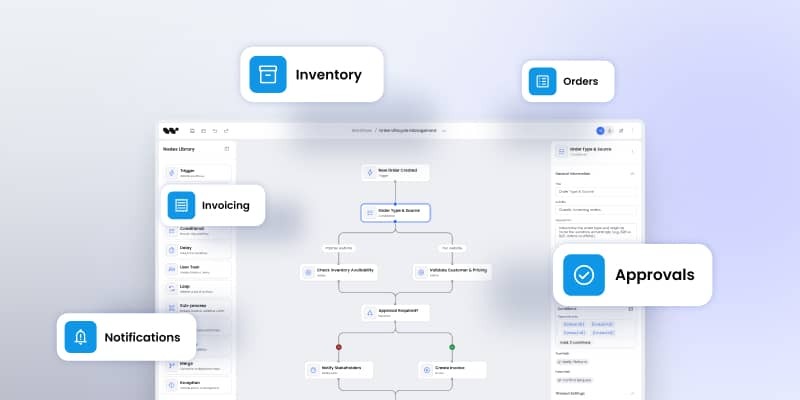
Workflow Builder is a React SDK for building workflow editors. It's a frontend component library with workflow semantics, node rendering, canvas interactions, and state management built in. You embed it in your own product, customize it to your needs, and connect it to your own backend.
Both display visual canvases with connected nodes. But the moment you need to own the UX, embed the editor in your SaaS product, or build domain-specific node types, the requirements diverge completely.
Where n8n falls short for custom products
1. Embedding license: $50K+ per year
n8n's community edition is free for internal use. But if you want to embed n8n into your own product—to offer workflow capabilities to your customers—you need the n8n Embed license.
Cost: Approximately $50,000 per year. This is recurring. Every year.
One client who evaluated both solutions told us:
"The n8n pricing was horrible. And it's a very big tool; I needed to very quickly build something which is directly for my use case. Workflow Builder let me do exactly that."
Workflow Builder pricing: €6,990 one-time license. No recurring fees. No per-seat charges. Apache 2.0 community tier available.
For teams building products, this difference compounds. Year one: $50K vs €7K. Year three: $150K vs €7K. The math is clear.
2. Built for general automation, not custom editors
n8n ships with 500+ integration nodes, credential management, scheduling, server-side runtime, and a full administration UI. If your use case is connecting existing services (Slack to Google Sheets to a database) this is valuable.
But if you're building a custom workflow editor with domain-specific nodes (an AI agent pipeline builder, a business rule engine, a data transformation tool for your specific industry) then 90% of n8n is overhead you don't need and can't remove.
The architecture is fixed. You're running n8n's platform, not building on a flexible foundation.
What Reddit users report

A widely-discussed thread titled "Why I Left n8n for Python" documents the pain points teams hit at scale:
- File handling struggles. Processing, moving, or transforming large files or multiple files becomes unreliable. Built-in nodes fall short and workarounds break.
- Performance degradation. Large workflows slow down or fail unpredictably. Scaling to production workloads becomes a challenge.
- Debugging complexity. Simple workflows are easy to follow visually. Complex logic and error handling become painful to debug—especially when you can't see the underlying code execution clearly.
- Node limitations. When the functionality you need isn't available in a pre-built node, you're constrained by the platform's boundaries. Custom nodes require self-hosting and working within n8n's SDK.
- AI agent reliability issues. Connecting to AI APIs is easy. Managing complex logic, persistent state, and robust error handling for AI-powered workflows hits limits quickly.
The conclusion: "n8n is excellent for prototyping, MVPs, or connecting services quickly. For more complex, large-scale, or mission-critical automations, I kept running into its limits."
3. UX customization hits a ceiling
After a full day of hands-on research with n8n, our team's assessment was direct: the customization of n8n is severely limited.
You can create custom nodes, but only if you self-host. The UX itself (canvas, node cards, property panels, sidebar) is n8n's UX. You cannot meaningfully redesign it.
When you embed n8n, you embed n8n's interface, not yours.
For teams building products where the workflow editor is a branded feature, not a third-party tool tucked behind a tab – this is a fundamental constraint.
Your customers see n8n's design language, n8n's interaction patterns, n8n's branding (unless you pay for white-labeling). You don't own the experience.
Where Workflow Builder wins
1. Full UX ownership
Workflow Builder is a React component library. You control:
- Canvas styling and layout
- Node card design
- Property panel structure
- Sidebar components
- Colors, typography, spacing (design token system)
- Interaction patterns
Your brand, your design system, your UX decisions.
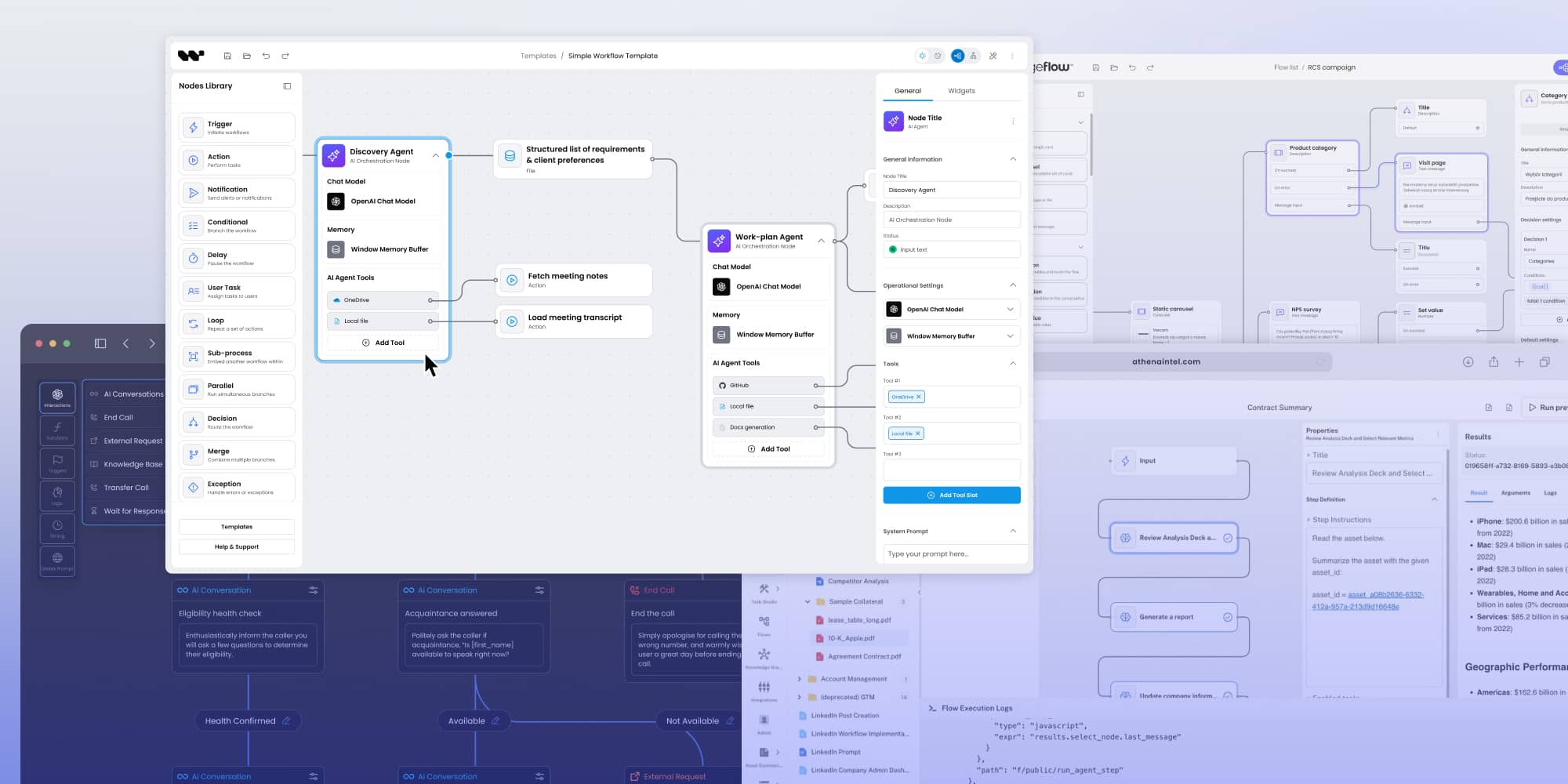
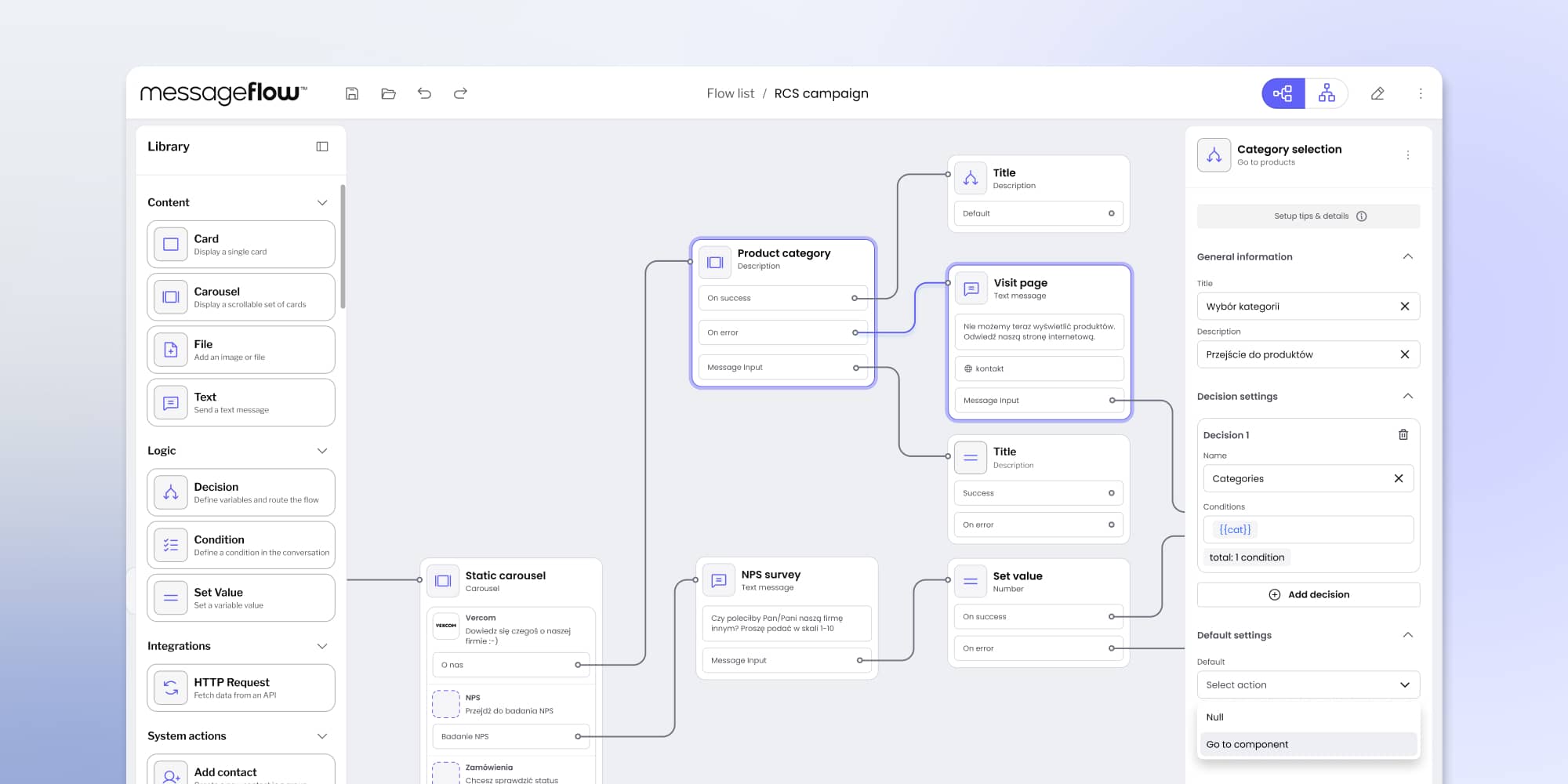
Example: MessageFlow, a CPaaS platform, embedded Workflow Builder and customized it completely to match their purple branding and platform design. Their customers see MessageFlow’s tool, not a third-party embed.

2. Custom node types without platform lock-in
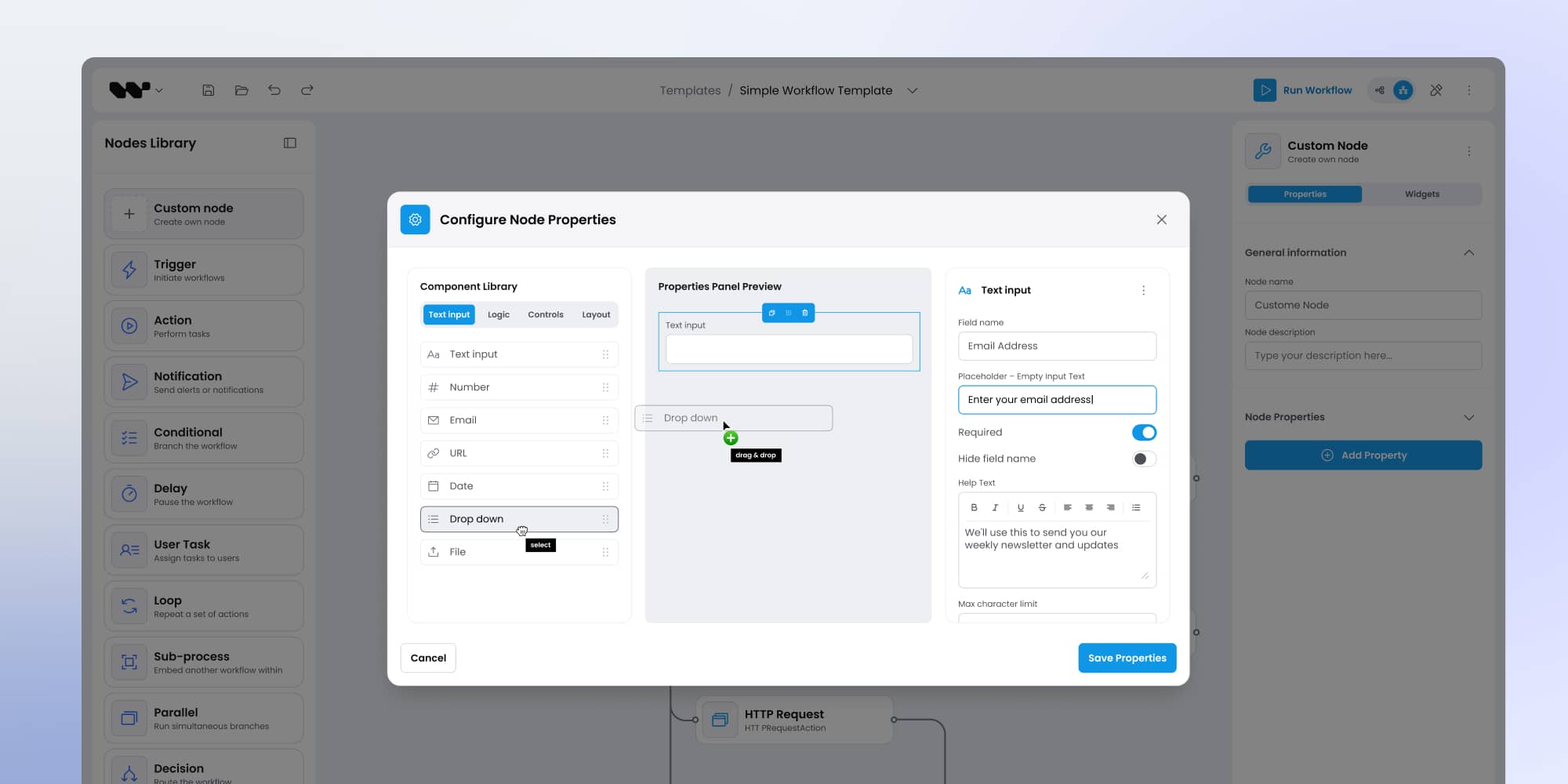
Creating custom nodes in Workflow Builder is JSON Schema-driven. You define:
- Node properties (inputs/outputs)
- Configuration forms
- Validation rules
- Behavior logic
No React components required unless you want advanced customization. The SDK handles rendering, state management, and canvas integration automatically.
n8n requires:
- Self-hosting
- Working within their node SDK
- Following their architecture patterns
- Maintaining compatibility with n8n updates
3. Framework flexibility
Workflow Builder supports:
- React (native)
- Angular (via web component)
- Vue (via web component)
- Vanilla JavaScript (via web component)
n8n supports:
- Iframe embed only
Iframe embeds introduce:
- Communication complexity (postMessage)
- Styling limitations
- Security considerations (CSP, CORS)
- Performance overhead
- Limited integration with your app's state
Workflow Builder integrates like any other React component. No iframe, no message passing, no isolation barriers.
4. Frontend-only architecture
- Workflow Builder: Frontend SDK. Zero backend required. Embed it in your existing application. Connect to your own APIs and execution layer when ready.
- n8n: Full server stack required. Database, runtime environment, credential storage, job queue. You're running n8n's infrastructure alongside your product.
For teams with existing backends, n8n's server requirements are redundant overhead. Workflow Builder slots into what you already have.
5. One-time pricing
Workflow Builder:
- €6,990 one-time license
- Apache 2.0 community tier
- No recurring fees
- No per-seat charges
n8n:
- Free for internal use
- ~$50,000/year for embedding in products
- Recurring annually
- Additional costs for infrastructure (hosting, database, maintenance)
Over three years:
- Workflow Builder: €6,990 total
- n8n: $150,000+ in licensing alone (not including infrastructure)
6. Expert support from the team that built it
Workflow Builder is developed by Synergy Codes; a team with:
- 15 years building diagramming and workflow tools
- 200+ commercial projects
- Clients including Siemens, BMW, Canon, Zeenea, Druid
When you use Workflow Builder, you're not just getting code. You're getting access to a team that's solved these problems dozens of times.
Support includes:
- Architecture guidance
- Custom node design
- Performance optimization
- UX consultation
- Direct access to engineers who built the framework
n8n offers community support and enterprise tiers. But the team behind n8n built a general automation platform, not your specific use case.
Workflow Builder vs n8n: head-to-head comparison
When to choose each
Choose Workflow Builder when:
- You're building a SaaS product that needs an embedded, branded workflow editor
- Your use case demands custom node types specific to your domain (AI pipelines, business rules, data transformations, industry-specific workflows)
- Most of your nodes will be custom, so n8n's 500+ integrations don't add value
- You want one-time pricing without ongoing platform fees
- You need full UX control; the editor should feel like part of your product, not a third-party tool
- You already have a backend and you don't need n8n's server infrastructure
- You want to move fast with something tailored, not general-purpose
Choose n8n when:
- You need a ready-made automation platform with hundreds of pre-built connectors
- Your primary goal is connecting existing services (Slack, Google Sheets, databases, APIs) without writing code
- You don't need to embed the editor as a white-labeled component in your own product
- You're using it internally, not offering it to customers
- You're comfortable with recurring costs and server infrastructure requirements
- Speed matters more than customization; you want something that works immediately without customization
Real-world example: Why teams choose Workflow Builder
Vercom, a CPaaS platform (MessageFlow) provider from Poland, needed a visual workflow builder for RCS marketing campaigns. Their required a no-code tool for marketing teams to design customer journeys (product carousels, decision logic, dynamic content) without developer dependency.
What they evaluated:
- Open-source libraries: Lacked RCS-specific features, couldn't handle enterprise complexity
- n8n: Embed pricing was prohibitive, too much overhead for a custom use case, couldn't match their brand
- Building from scratch: 6+ months before first usable version
What they chose:
Workflow Builder SDK. They customized it for RCS campaigns, matched it to their purple branding, and shipped in weeks.
Results:
- Delivered ahead of their own backend team's schedule
- Maximum quality score from client
- Within budget with time to spare
- Foundation for future products (already planning Marketing Automation 2.0)
"We're extremely happy with how the application looks and performs. We wouldn't have achieved this quality with an open-source solution and any team. Workflow Builder gave us an edge; it's a combination of technology and expertise."
— Adam Lewkowicz, CTO Vercom
The bottom line
n8n is powerful for general-purpose automation. But power and generality come at a cost: literally ($50K/year for embedding) and architecturally (a full platform when you need a focused component).
When your project requires a custom, embeddable workflow editor that you fully own and control, Workflow Builder delivers that at a fraction of the cost, backed by a team with a decade of diagramming expertise and 100+ commercial projects.
The question isn't whether n8n is good. It's whether it's right: for your use case, your budget, and your product vision.
Evaluate Workflow Builder for YOUR project
Explore the SDK: workflowbuilder.io
See the Vercom case study
Compare with other solutions: PluraAI | Athena Intelligence
An entrepreneur and tech enthusiast, with over 14 years of experience building innovative diagramming solutions and tools across industries. Our interfaces help technical and non-technical users make informed business decisions.


Go further with Overflow and Workflow Builder
Workflow Builder is powered by Overflow — a library of interaction components made with React Flow that elevates and extends node-based interfaces.